 Sign in
How to use The Long Table
Step by step, for families, organisers, restaurants and drivers.
Families: order dinner
Order by Wednesday 10pm. If 10 orders come in, a driver brings everything to the school on Friday.
Swipe across for each step.
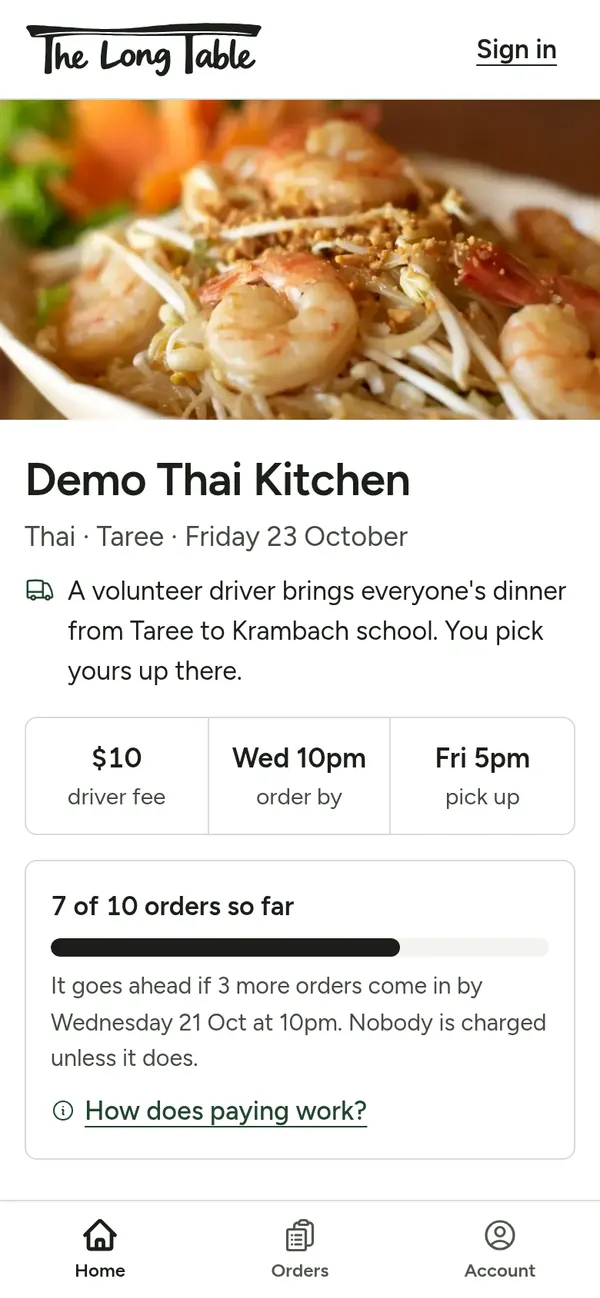
Step 1: Open TheLongTable.Krambach.au on your phone. This Friday's restaurant is at the top. No app or account needed. 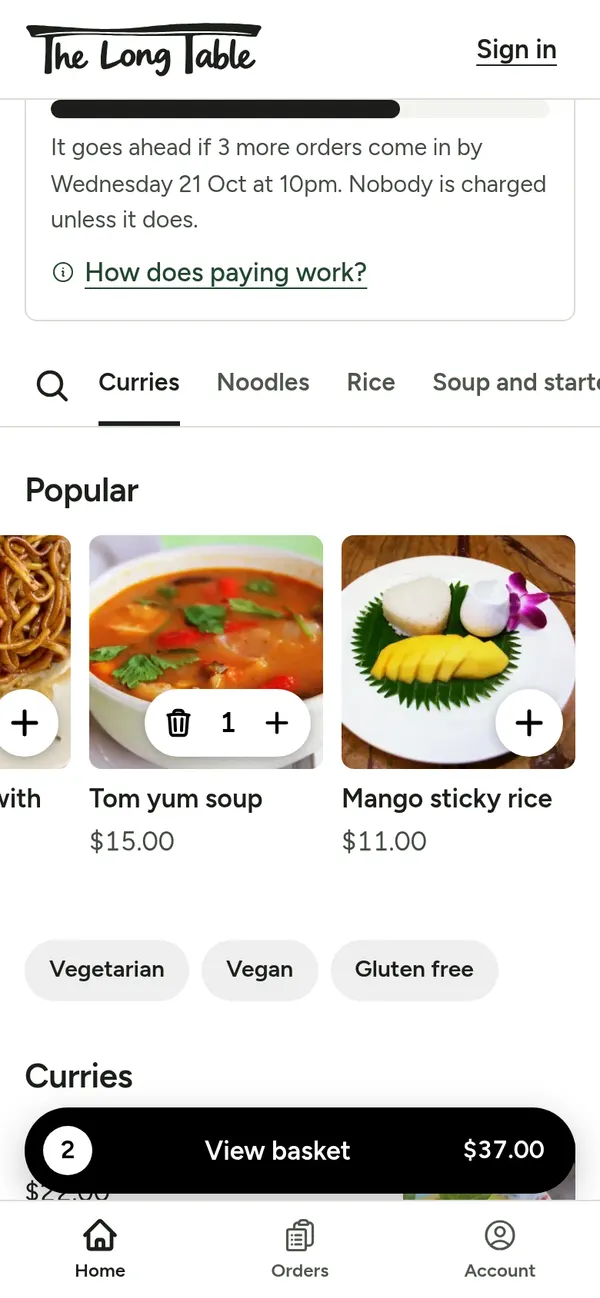
Step 2: Tap + on a dish to add it. Tap again for more. Your basket shows at the bottom. 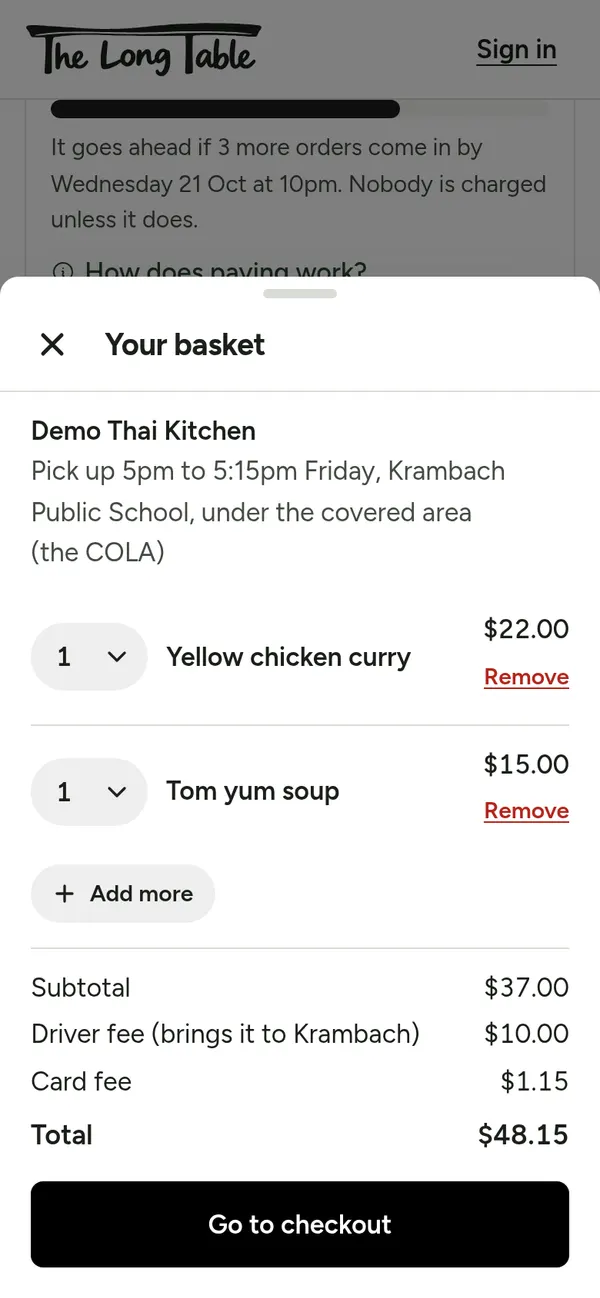
Step 3: Tap View basket to check it, then Go to checkout. 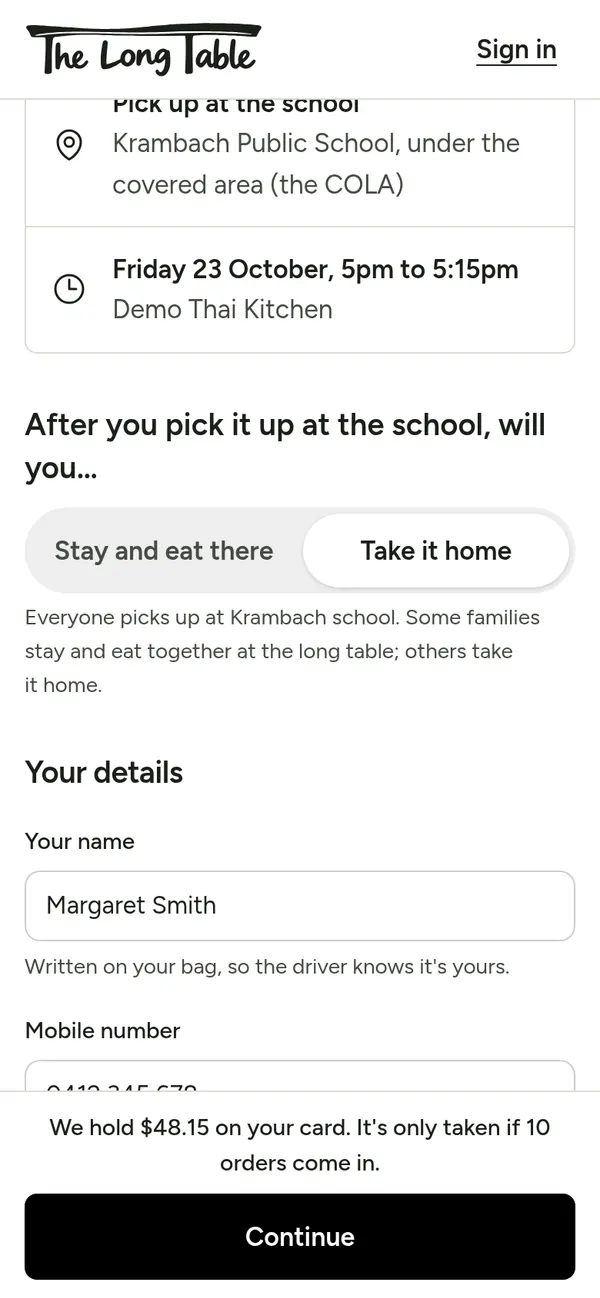
Step 4: Type your name (it goes on your bag), mobile and email. Choose Stay and eat there or Take it home. 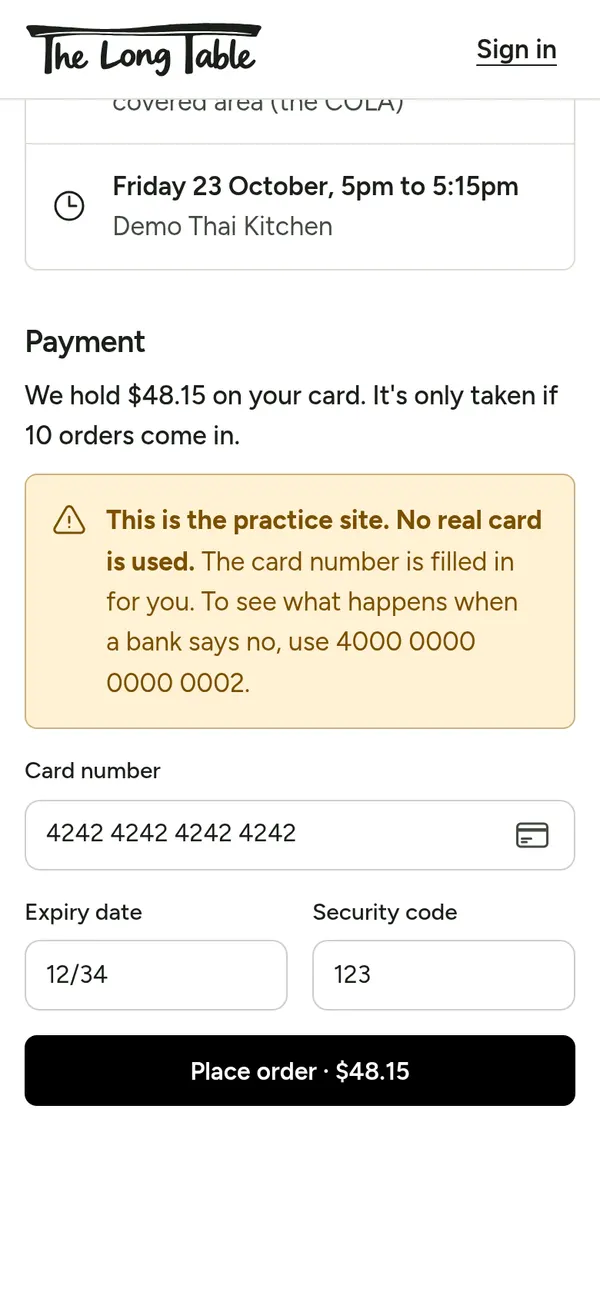
Step 5: Type your card and tap Place order. Nothing is taken until 10 orders come in. 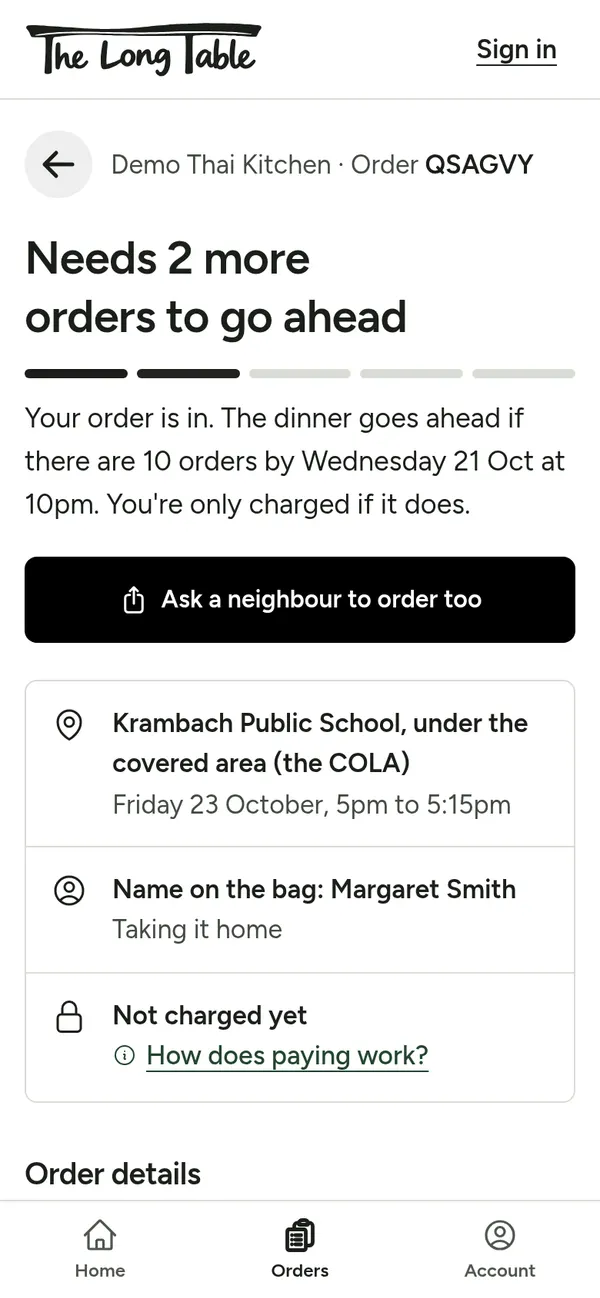
Step 6: Your order page shows how many more orders are needed. Ask a neighbour shares the menu. You can cancel here until the dinner goes ahead. 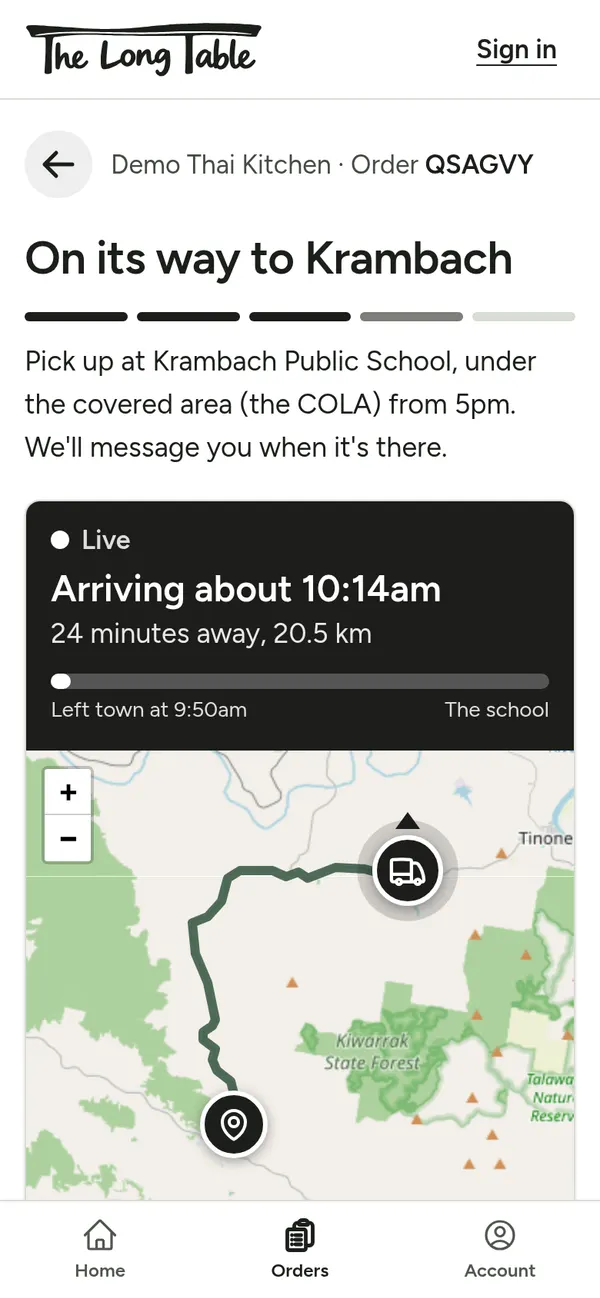
Step 7: On Friday, watch the van come to Krambach on the map. 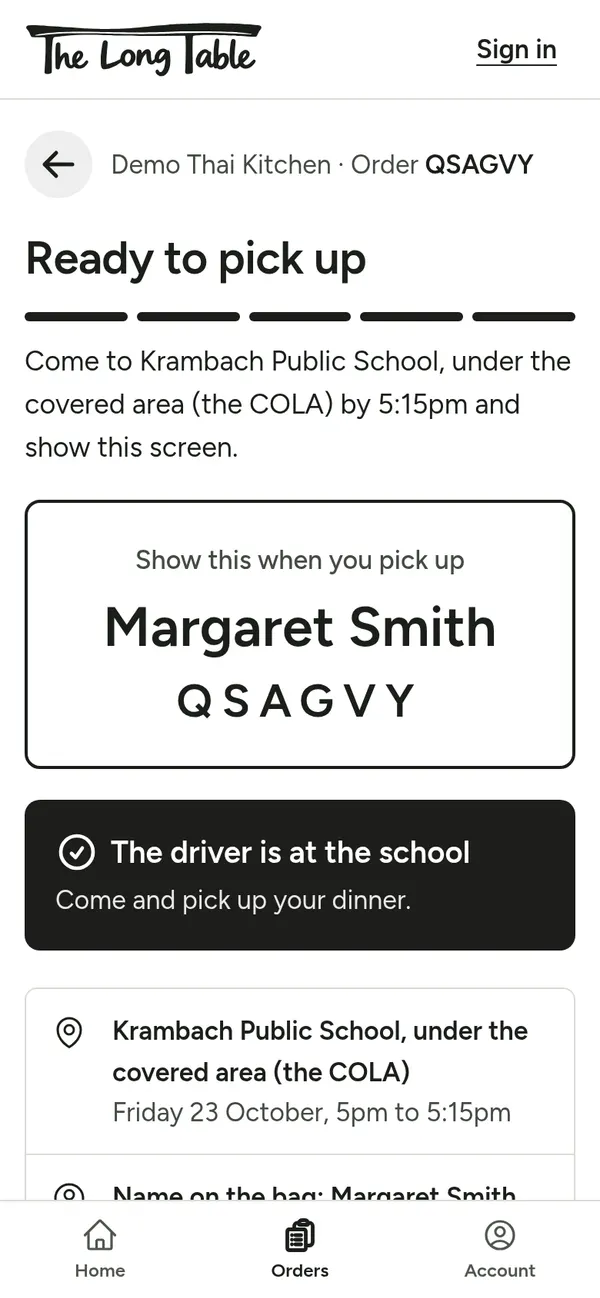
Step 8: When it says Ready to pick up, come to the COLA and show this screen. Something wrong? The phone number is at the bottom of your order page.
Organisers: run the Fridays
Organisers plan which restaurant comes each week, keep an eye on orders, and sort out problems.
Swipe across for each step.
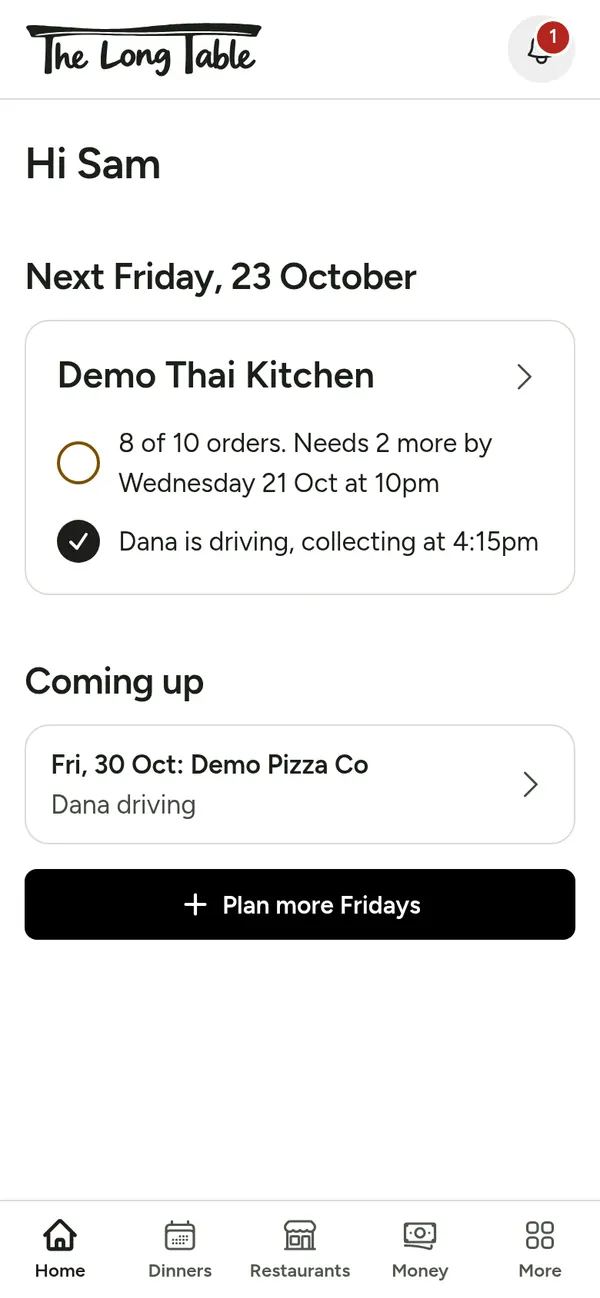
Step 1: Sign in with your krambach.au account (password or Google). Home shows this Friday: how many orders, and who's driving. 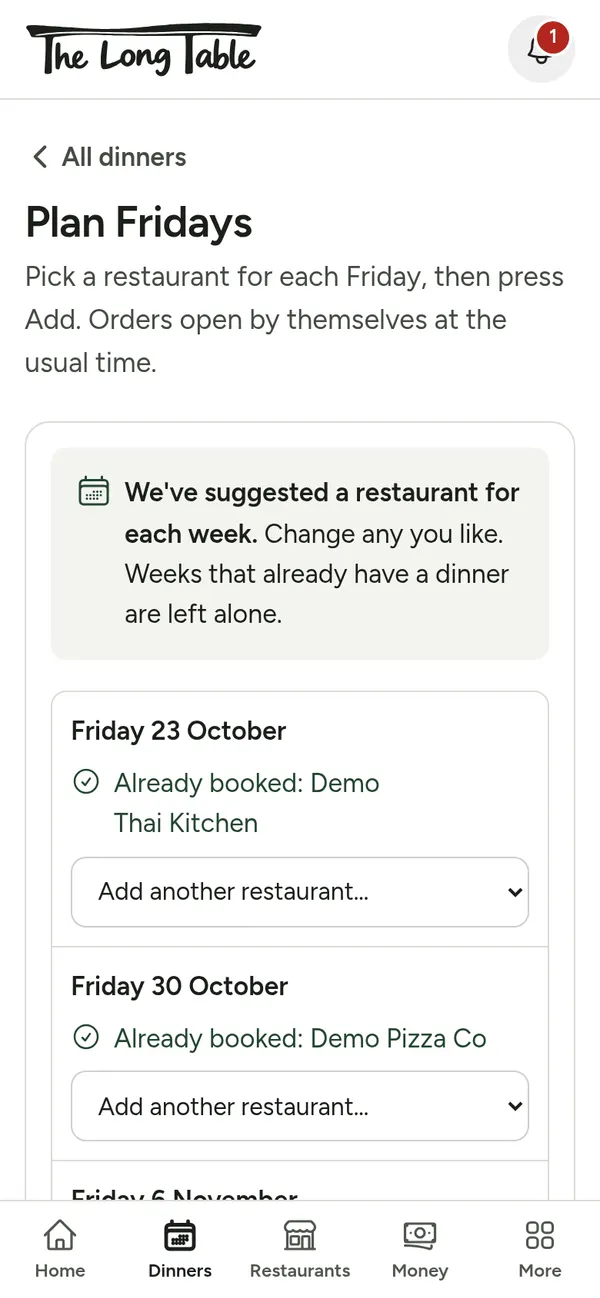
Step 2: Tap Dinners, then Plan more Fridays. A restaurant is suggested for each week. Change any, then tap Add. 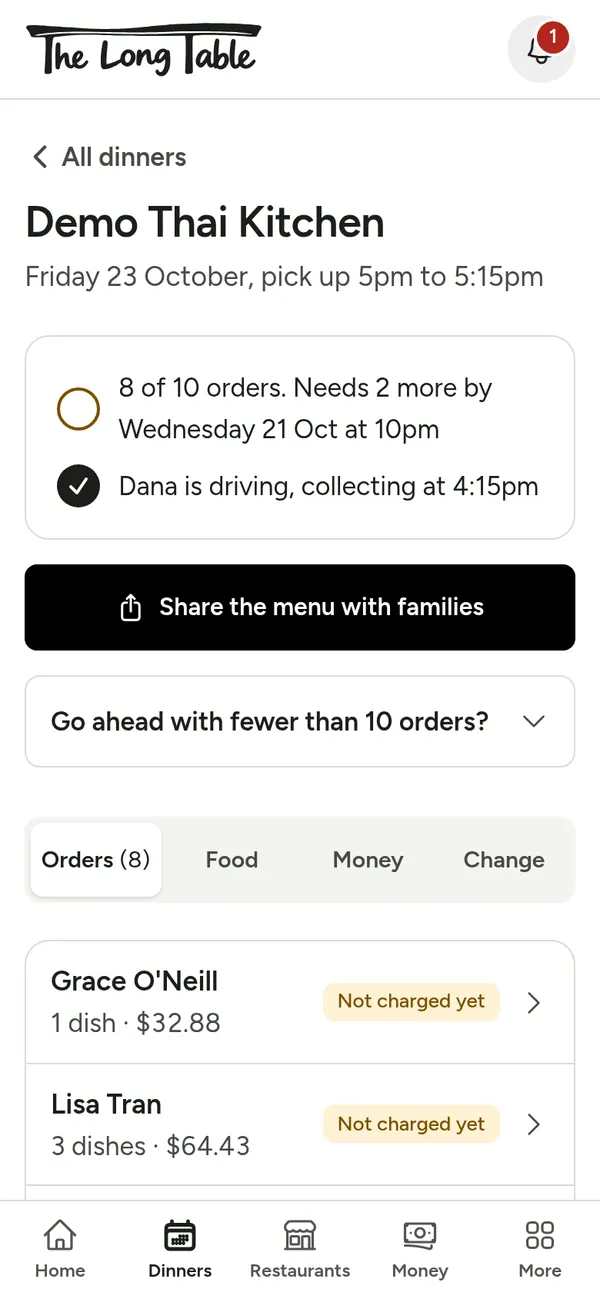
Step 3: Open a dinner to see every order. If it's short, tap Share the menu with families and send it to the school group. 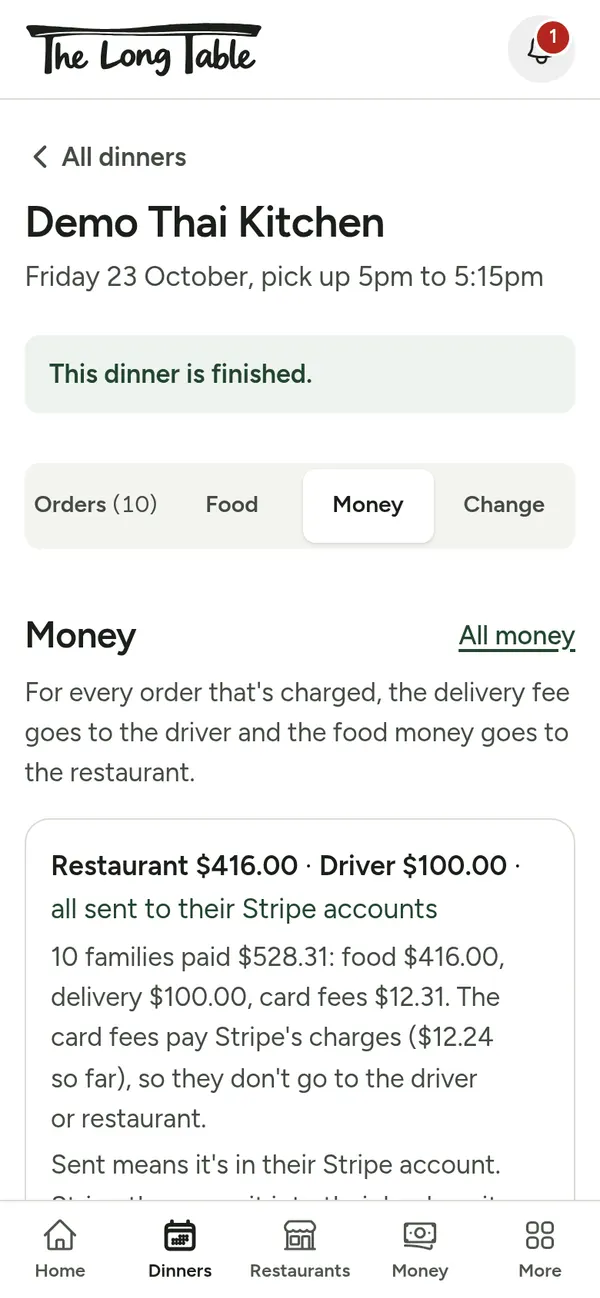
Step 4: The Money tab shows what goes to the restaurant and the driver. To refund someone, tap their order.
- Restaurants tab: add a restaurant and its menu (paste the menu text and it fills itself in).
- More, then People: add a driver. They get an email with a link that walks them through setting up.
- More, then Settings: choose test cards (nothing is charged) or real money.
Restaurants: cook and pack
One sheet tells the kitchen what to cook and who each bag is for.
Swipe across for each step.
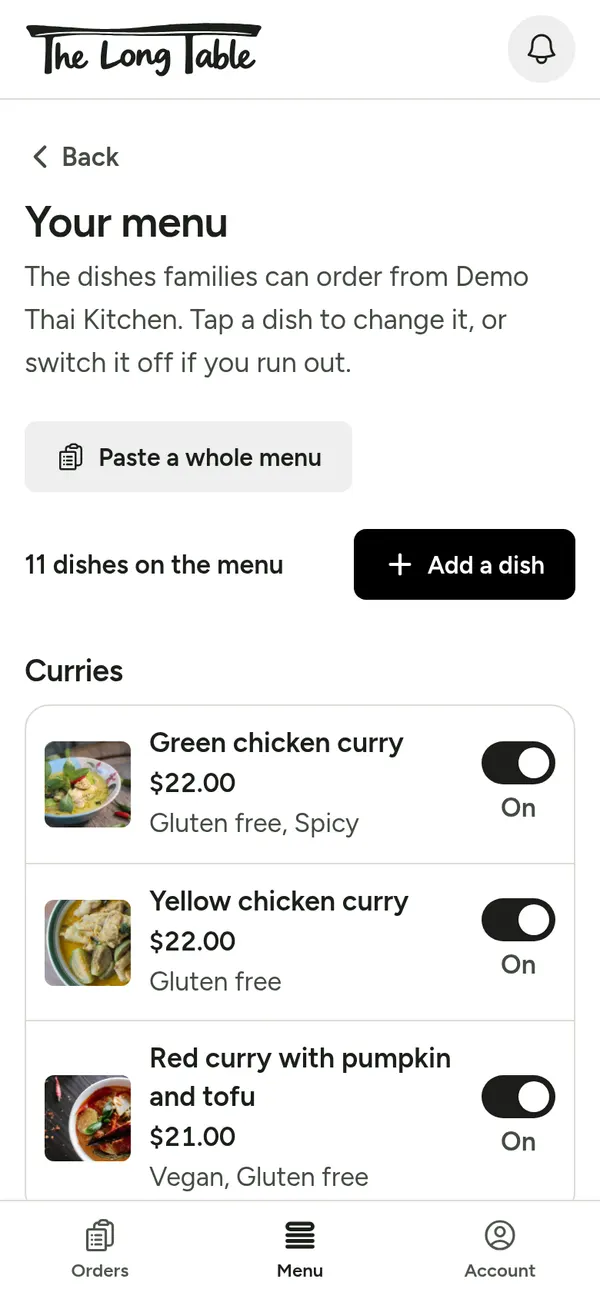
Step 1: Sign in with the restaurant's krambach.au account, or the link in our email. Menu lets you change prices, switch a dish off, or paste a whole menu. 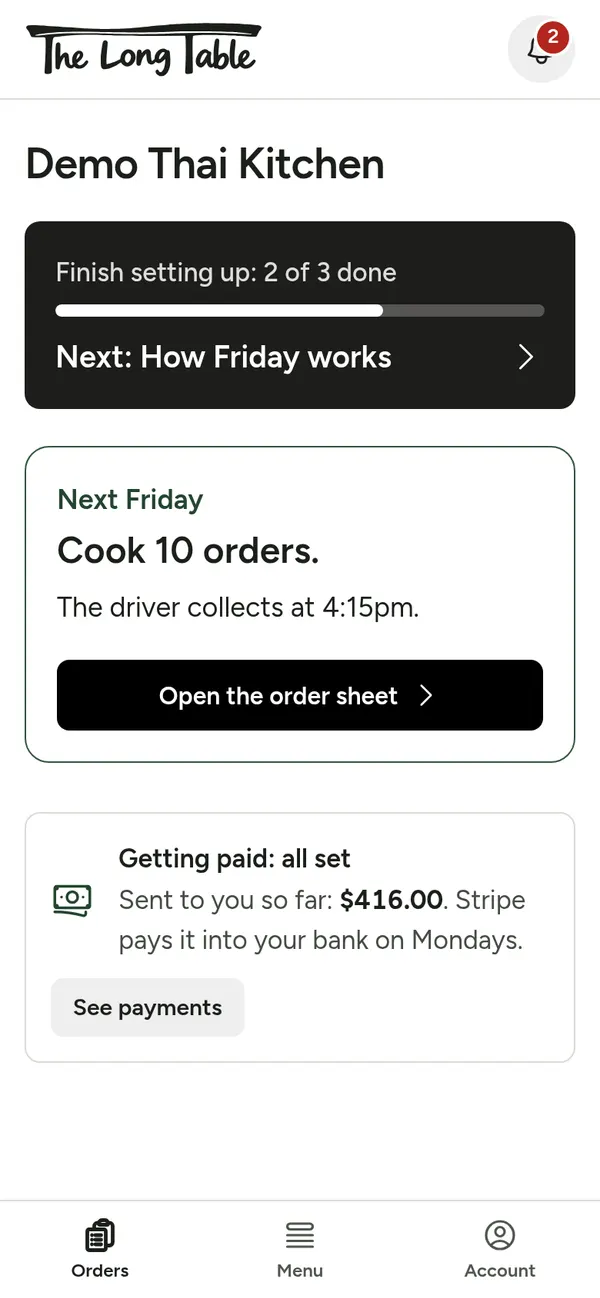
Step 2: After the Wednesday deadline, the home screen says how many orders to cook. 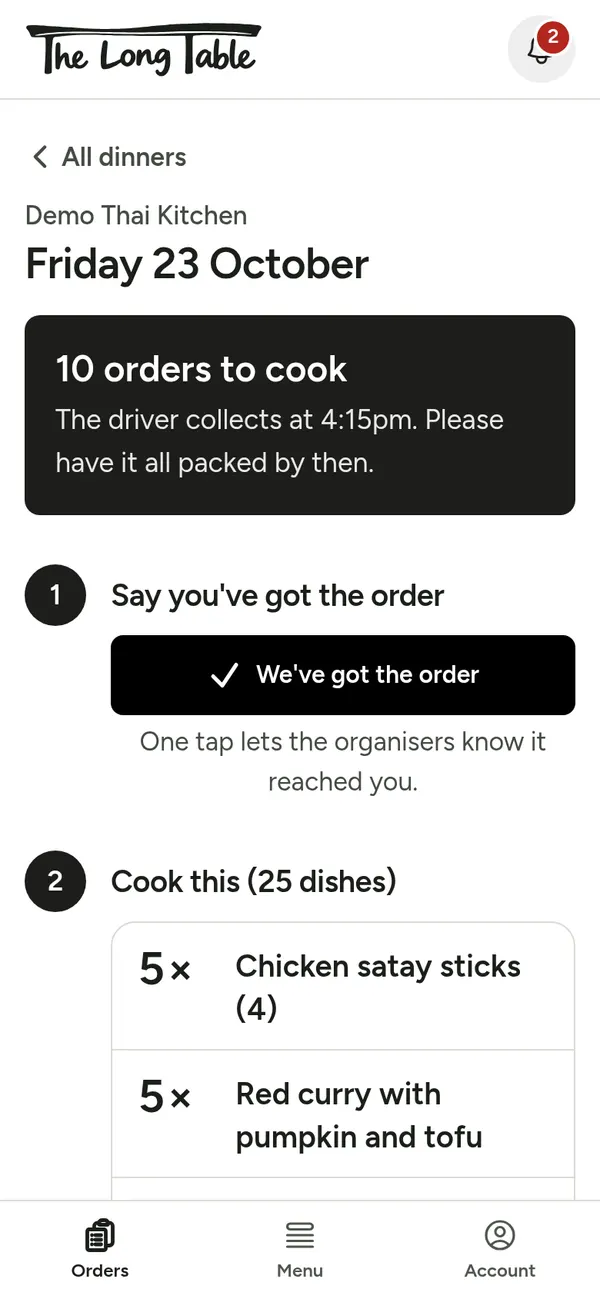
Step 3: Open the order sheet and tap We've got the order. 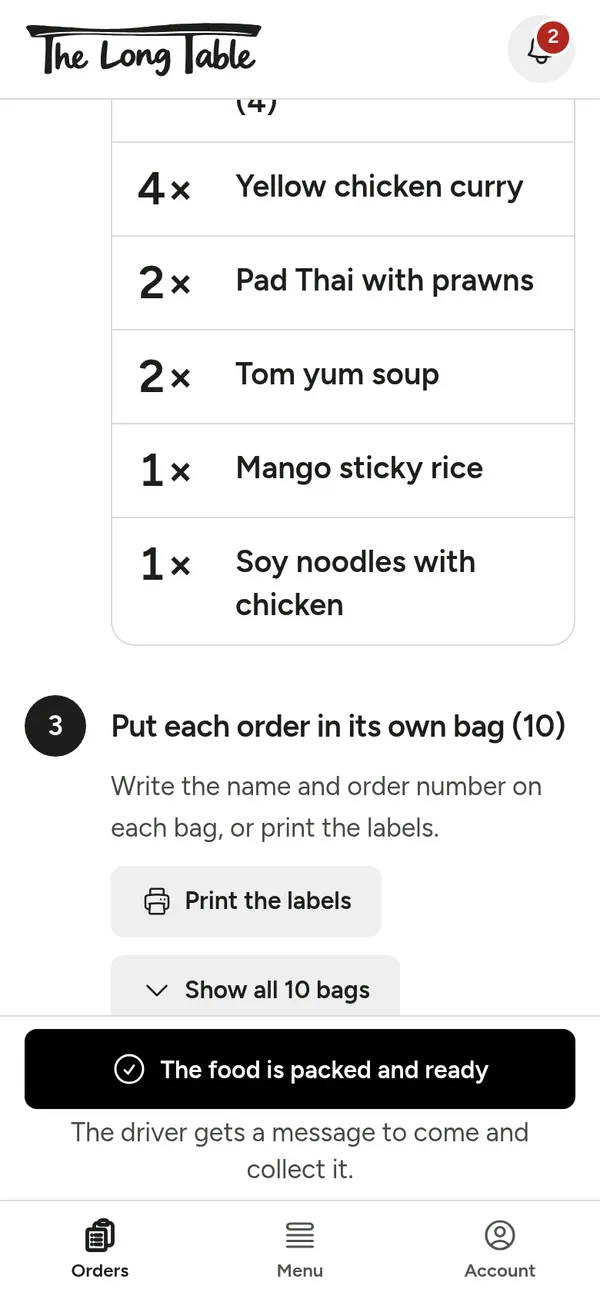
Step 4: Cook from the list, then put each order in its own bag with the name on it, or print the labels. 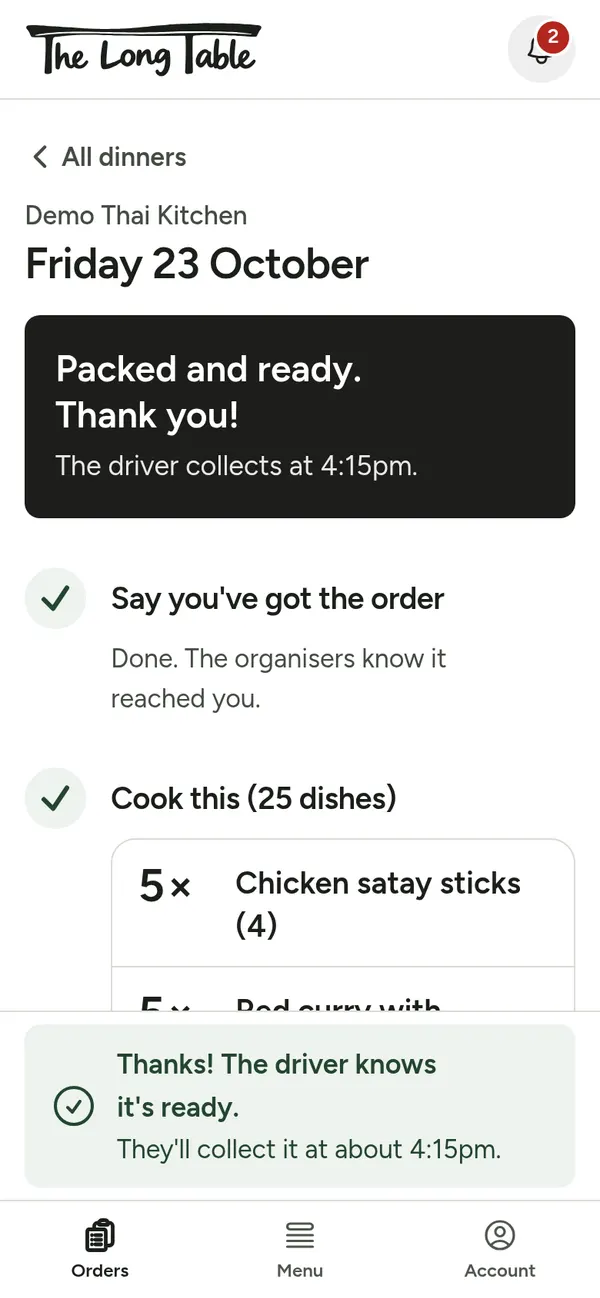
Step 5: Tap The food is packed and ready. The driver gets a message. The food money goes to your bank through Stripe.
Drivers: collect and hand out
One screen walks the driver through the night, from the restaurant to the school.
Swipe across for each step.
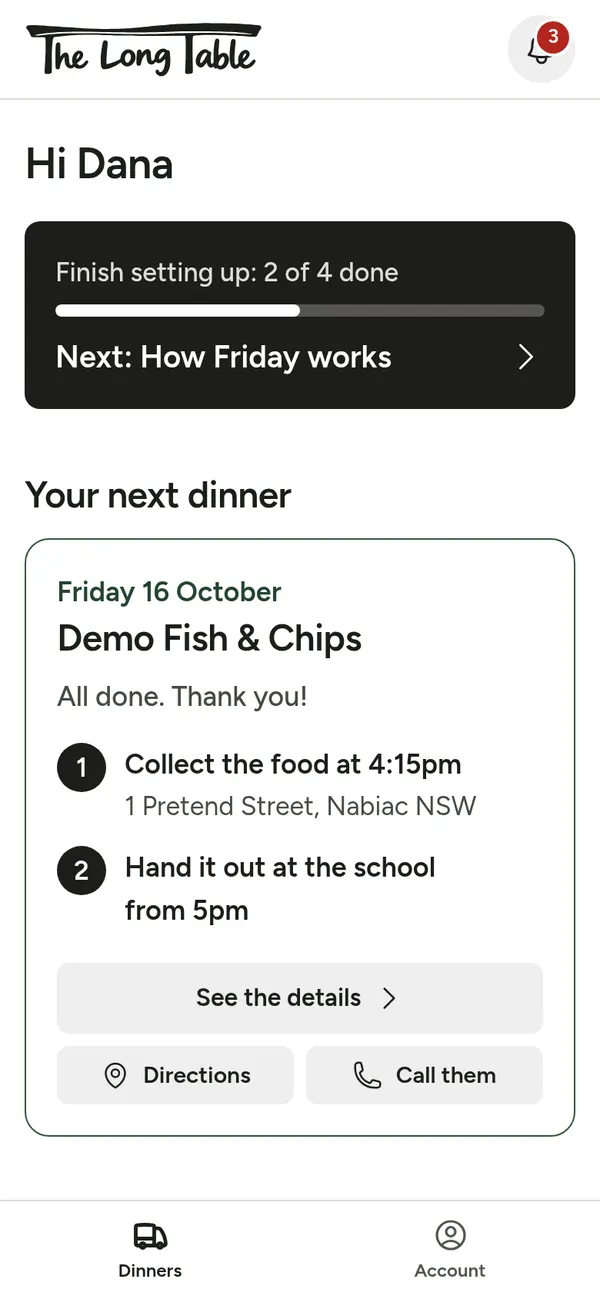
Step 1: Sign in with your krambach.au account. Home shows your next Friday: where to collect, and when. 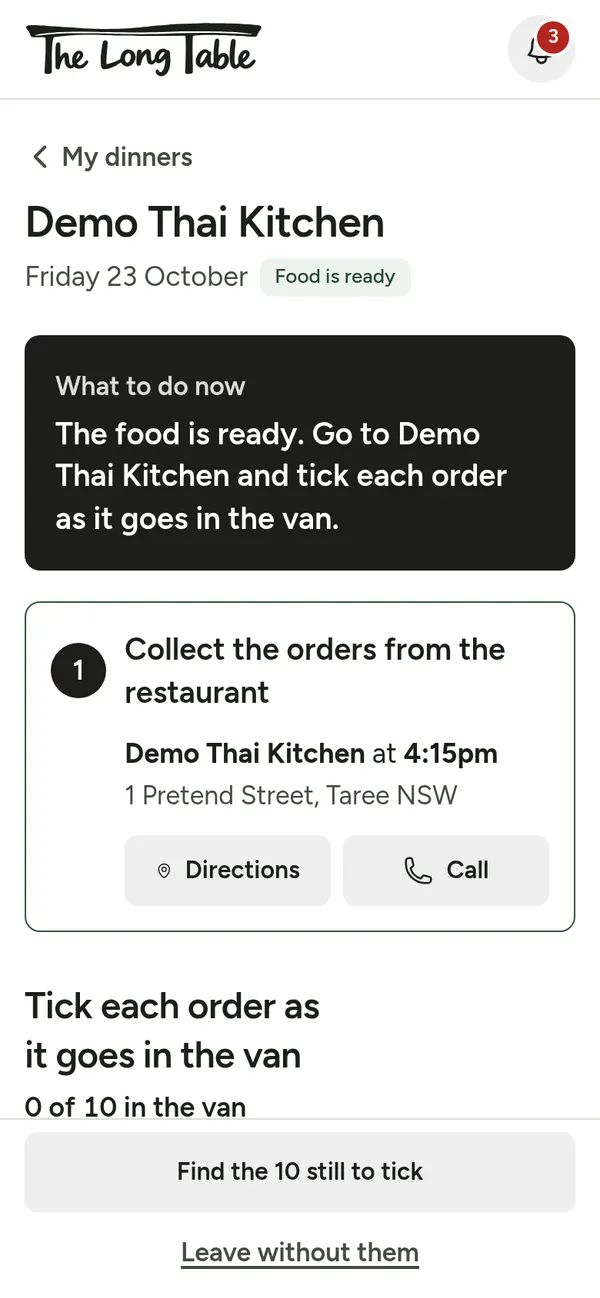
Step 2: On the night, open the dinner. Directions takes you to the restaurant. 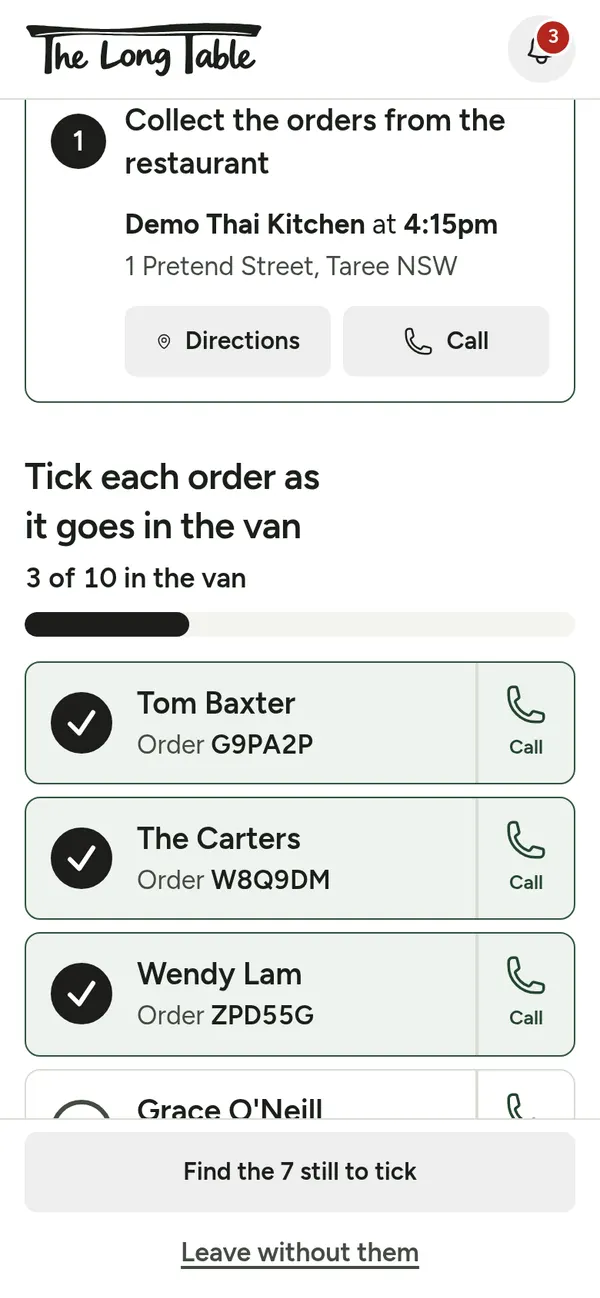
Step 3: Tick each order as it goes in the van. 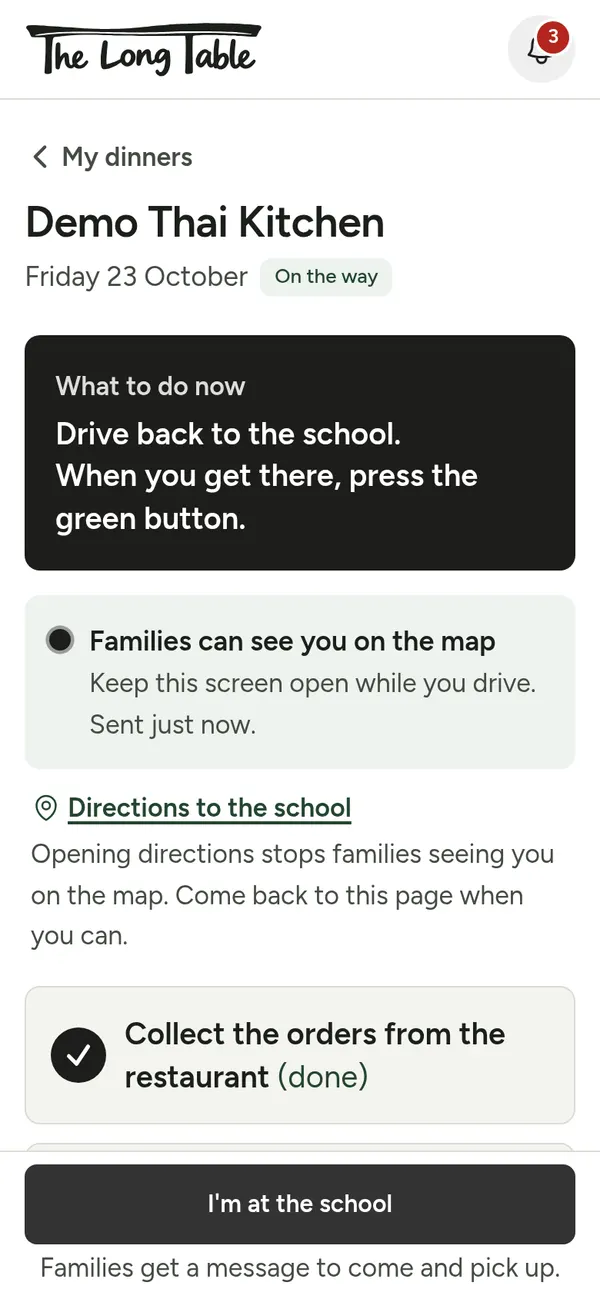
Step 4: Tap Start driving. Families can now see the van on a map. 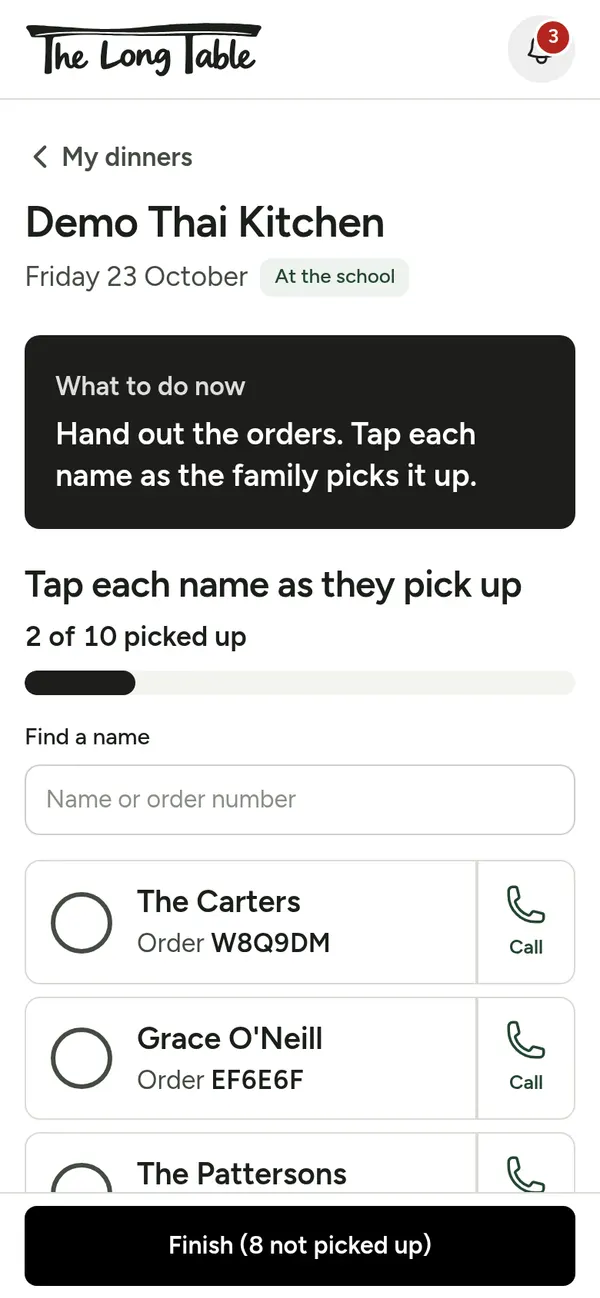
Step 5: At the school, tap I'm at the school. Tap each name as the family picks up. 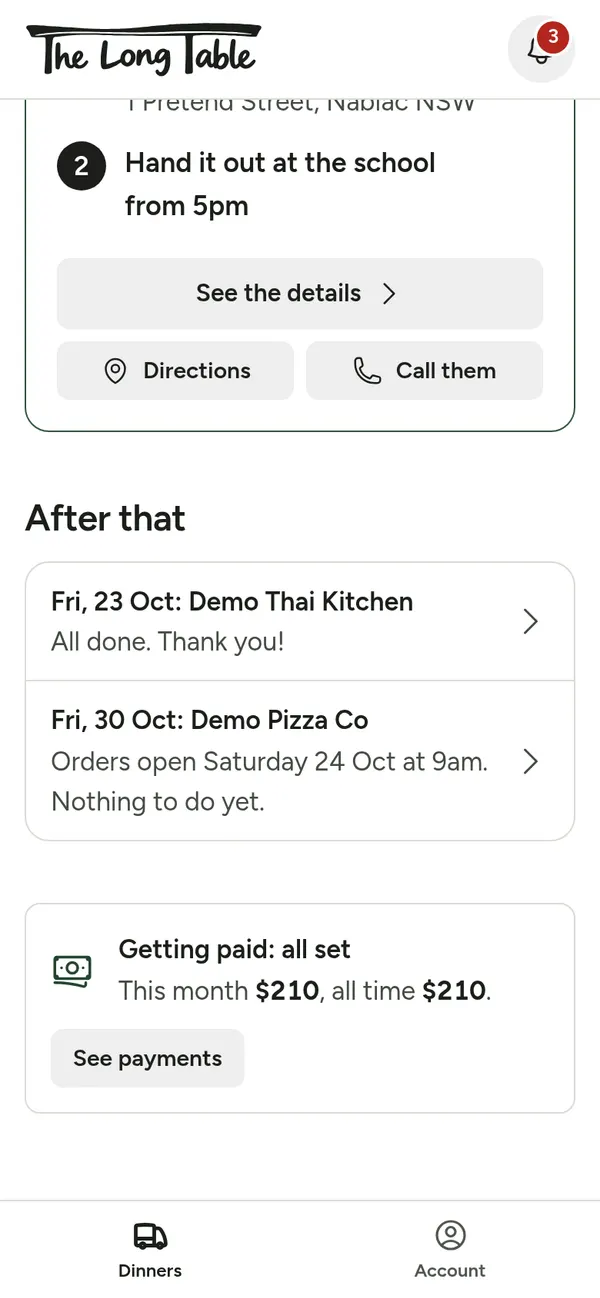
Step 6: Tap Finish. Your $10 for every order shows under Getting paid.
How it was built
It started with a plan from five students
“We want orders to be held until there are at least ten, so it is worth while for the delivery driver, as they need to pay for petrol and their time.”
“We want this to run itself so no one is having to monitor it.”
How the money works
1
A family orders
Stripe holds the amount on their card. Nothing is taken yet.
2
Order number 10 arrives
The dinner is on. Every held card is charged at once.
3
$10 per order to the driver
Sent straight to the driver's bank through Stripe.
4
The food price to the restaurant
Sent straight to the restaurant's bank through Stripe.
If fewer than 10 orders come in by the deadline, every hold is let go and nobody pays anything. Card holds only last 7 days, which is why orders open at most six and a half days before a dinner.
What it's made of
- Next.js and React
- The website and the server code.
- SQLite
- The database of dinners, menus and orders.
- Stripe Connect
- Card payments, and paying the restaurant and driver.
- Leaflet and OpenStreetMap
- The live map of the van.
- Email and phone pop-ups
- Receipts and updates, like “your dinner is on its way”.
- A small Linux server
- Hosts the site.
- TypeScript and Tailwind CSS
- The code language and the page styling.
How it came together
- The planThe students wrote down what they wanted and asked the community for feedback.
- The rulesTheir plan became the site's rules: hold every card, charge only at 10 orders, pay the driver and the restaurant straight away.
- TestingEvery money rule is checked automatically before any change goes online.
Keeping people safe
- Card numbers go straight to Stripe. They never touch our server.
- Signing in happens on krambach.au; this site never sees your password.
- The secret keys that move money live only on the server, never in the code or on a web page.
- Nobody is charged unless 10 orders come in.
Ready to order?